


Akida Execution in Heterogeneous Environments
Clone It, Build It, Run It
By Steve Brightfield, Chief Product Officer
Part 1 of a series on hybrid execution across the orchestration layers that already run your infrastructure.
Two trends shaping AI
As AI adoption accelerates worldwide across all industries, two important trends are becoming clear. The first is the need for specialty silicon that delivers the highest performance at the lowest power consumption. The second is the ability to harness that specialty hardware not only in standalone deployments, but also in heterogeneous environments that support complex workloads. In heterogeneous workloads, optimization occurs when each part of the workload is deployed on the most suitable specialty hardware, such as Akida. This environment was one of the key use cases BrainChip envisioned when we created Akida.
From demonstration to working code
Throughout 2026, Kevin D. Johnson, Field CTO at IBM, has demonstrated the flexibility IBM Spectrum Symphony offers for integrating Akida into many use cases and workloads. BrainChip has now launched a community bundle that combines the IBM Spectrum Symphony software with the Akida software tools and includes demonstrations of Akida hybrid execution using Symphony orchestration. Most edge AI stories ship as a slide, a benchmark chart, or a video of a dashboard that nobody outside the vendor can touch. The Symphony Community Akida Bundle isn’t that. It’s a public, Apache 2.0-licensed GitHub repository (Brainchip-Inc/symphony-akida) that you can clone right now, build with one Docker command, and run on real Akida hardware today. That distinction matters, so it’s the first thing we want to make clear: everything described below is working software, not a proof of concept described after the fact.
What it is
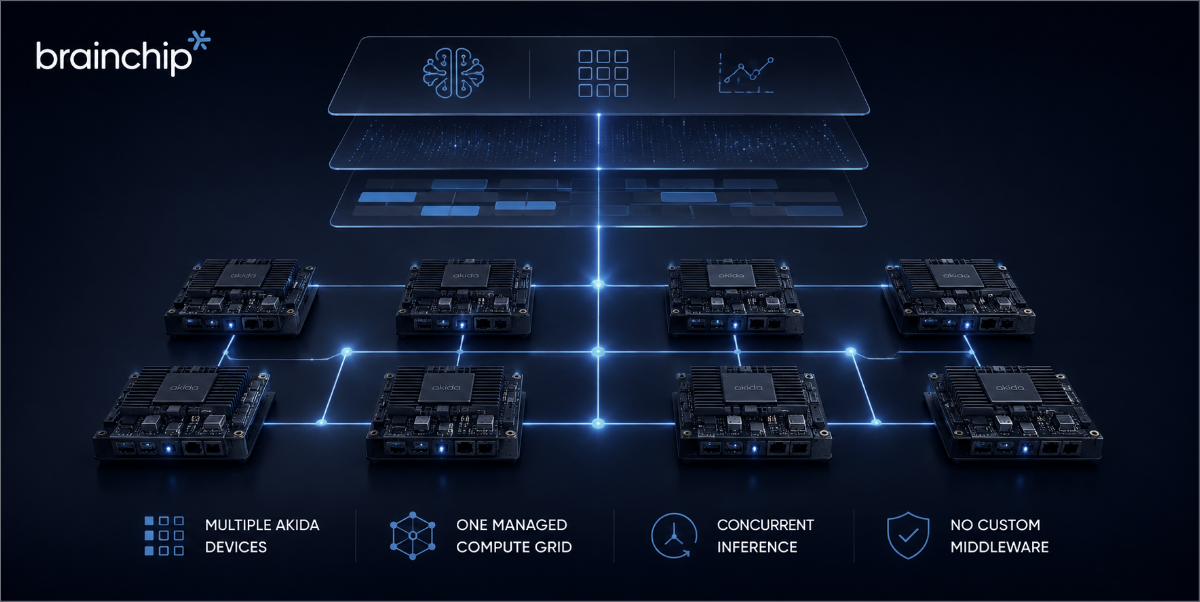
The repo distributes AI inference across a fleet of BrainChip Akida neuromorphic processors, managed as ordinary cluster resources by IBM Spectrum Symphony Community Edition, the same workload manager that has long run latency-sensitive enterprise grids, especially in financial services. The setup uses one management node and one compute node per Akida chip; each compute node owns its device over PCIe and maps a model onto its own silicon. Symphony needs no core changes: an Akida device is a managed resource like any other, and a node with no mappable device is simply never given work.
Three demo apps ship inside one container image and share one cluster. You tear one down and bring the next up on identical hardware, so the comparison is apples to apples, not marketing to marketing.
Three real apps, one fair comparison
serial-http-round-robin — the deliberate “before” baseline. It uses plain HTTP and dispatches one request at a time, so roughly one chip is busy at any given moment. Everything else in the repo is measured against it.
batch-inference — a single Symphony SOAM (Service-Oriented Application Middleware) session fanned out concurrently across every chip in the fleet, with the dashboard showing the per-chip split and throughput live. The gain isn’t uniform, and the repo is honest about that. Keyword spotting runs in 0.25 ms on-chip, so dispatch overhead dominates and the improvement is modest. Image workloads put roughly 76 ms of work on each chip and scale far better.
image-shard-inference — the one that isn’t a throughput trick at all. A 448-pixel YOLOv2 frame can’t map onto an AKD1500 in one piece, so it’s split into six 224-pixel tiles, inferred in parallel across six chips through three SOAM services, and merged back into a single result. That reassembly delivers +8.6 mAP50 over the best single-device option: 49.14 mAP50 on the VOC2007 test split, with six chips working at once on one frame.
Clone it. Build it. Run it.
This is the part worth emphasizing: there’s no waitlist, no sales call gating the source, and no simulator standing in for real behavior. The commands below are the actual quick start from the repo:
git clone https://github.com/Brainchip-Inc/symphony-akida.git && cd symphony-akida
git lfs install && git lfs pull       # ~95 MB: models, anchors, sample sets
curl -LsSf https://astral.sh/uv/install.sh | sh
uv sync

docker build --build-arg ACCEPT_IBM_LICENSE=yes -f docker/Dockerfile -t symphony-akida .

./scripts/launch/up.sh batch-inference   # auto-sizes to the healthy chips
uv run python src/apps/batch-inference/dashboard/app.py
Open http://localhost:5001 for the app dashboard and https://localhost:8443/platform for the Symphony console (login Admin/Admin; self-signed certificate; allow three to six minutes for the first page to load on a fresh boot). To switch demos, tear down and relaunch: run ./scripts/launch/down.sh, then ./scripts/launch/up.sh <app-name>.
What it takes
You need real Akida hardware on the host with the akida_pcie driver loaded. There’s no simulator path: by design, a node without a mappable device never receives work. Beyond that, you need Docker (privileged containers; deliberately no Compose file and no Kubernetes), Git LFS, and uv with Python 3.10 or later. Hardware (the AKD1500 M.2, which the reference fleet is built from, or the AKD1000 PCIe/M.2) is available from the BrainChip Shop. The apps automatically detect which chip family they’re running on.
A note on licensing
One licensing detail matters to anyone who has been frustrated by “open source” that isn’t: the repo itself is Apache 2.0 and contains no proprietary IBM or BrainChip binaries. At build time, Docker pulls IBM Spectrum Symphony Community Edition 7.3.2 from IBM’s own public image, under IBM’s terms. That’s why the build requires --build-arg ACCEPT_IBM_LICENSE=yes, so you explicitly accept those terms yourself. No IBM credentials or private registry are needed at any point.
Who this is actually for
- Infrastructure and platform teams already running Spectrum Symphony, with Akida hardware on hand or on order — this is a same-day addition to a resource pool you already manage, not a new platform to stand up.
- Teams weighing GPU capacity or cost against workloads that don’t need a full dense pass — the batch-inference app lets you answer “what does this actually buy us?” with a direct, reproducible measurement on your own hardware, not a vendor’s slide.
- Anyone who wants to see heterogeneous scheduling work before committing to it — clone the repo, read the code, and decide for yourself whether the pattern holds up. That’s the whole point of it being public.
Run it yourself
- Repository (start here): github.com/Brainchip-Inc/symphony-akida — clone it, build it, and open an issue if something breaks
- Hardware: BrainChip Shop — AKD1500 M.2 or AKD1000 PCIe/M.2
- Community: BrainChip Developer Hub and the BrainChip Official Discord Server, linked from the repo
- Technical deep dive: “BrainChip Akida as a Managed Resource in IBM Spectrum Symphony”
This is the first post in a short series on heterogeneous execution with Akida across the orchestration layers that matter, starting with IBM Spectrum Symphony.
Next in the series: “Heterogeneous Computing: Where Akida Adds Value,” by Dr. Jonathan Tapson, BrainChip’s Chief Development Officer.